Arena Clash: Team Battle 3D
Reviews
💡Arena Clash: Team Battle 3D offers exciting team matches with easy controls. The variety of items and arena layouts keep each round fresh. Customizing character skins adds a personal touch. It runs smoothly on all devices, making it a great choice for casual and competitive players alike.
Description
Game Introduction
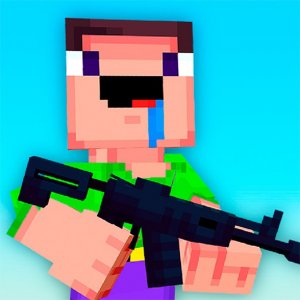
Arena Clash: Team Battle 3D is an online action game set in a bright, colorful arena. Players control a character and compete in fast team matches. The main goal is to work with teammates to achieve the highest score. The game focuses on quick thinking, precise movement, and using special items at the right time. It is designed for short, exciting sessions that are easy to pick up. The controls are simple, making it suitable for both new and experienced players. The game runs smoothly in web browsers and works on computers, phones, and tablets. A full-screen mode is available for a more engaging experience. The arena setting and team-based play create a lively and competitive atmosphere.
How to Play
Players control their character using keyboard keys for movement, such as WASD, and a sprint key for faster travel. The mouse is used to aim and activate the main action. Special items can be thrown to affect a group of opponents. Players can switch between different items using number keys. Other actions include reloading the main tool and jumping over obstacles. The objective is to help your team score more points than the opposing team. After each match, players may earn rewards that can be used to unlock new character appearances.
Game Features
This game features fast team-based action with simple controls. It includes a variety of items that can affect multiple opponents at once. Players can change the look of their character with different skins. The game is available on multiple platforms, including PC, mobile phones, and tablets. A full-screen mode is offered for a more immersive experience. Matches are designed to be quick and focus on both individual skill and team coordination.
Tips for Success
Practice your aim and movement to become more effective. Learn the layout of each arena to predict where opponents might be. Talk with your team to plan attacks and item use. Use area-effect items in narrow paths or where opponents gather. Keep an eye on your ammo and reload when safe. Try different items and character looks to find what works best for you. Regular play will help you improve your skills.
Compatibility
Faq
Is Arena Clash: Team Battle 3D free to play?
Can I play Arena Clash: Team Battle 3D offline?
What are the system requirements for Arena Clash: Team Battle 3D?
How many players are on each team in Arena Clash: Team Battle 3D?
Are there different arenas in Arena Clash: Team Battle 3D?
How do I unlock new character skins in Arena Clash: Team Battle 3D?
More Games

Pet Makeover Studio: Kids Grooming Game

Clever Reach Puzzle
Sprunki SprunkBricks Music Creation Game
Arena Clash: Team Battle 3D
Online Wrestler Showdown

Snowball Arena: Winter Multiplayer

Princess Vacation Dress Up
Princess Flight Attendant Makeover Game

Fashion Makeover Dress Up Game

Sprunki Bearski Music Mixing Game
Jungle Bubble Match Adventure
BlockCraft Match Three Puzzle

Penguin Ice Arena Adventure

Phone Case Art Design Studio
Kids Street Style Dress Up

Red Ball Forever 2 Platform Adventure

Witch Dash Time Challenge