My Crocs Creative Dress Up Game
Reviews
💡My Crocs Creative Dress Up Game is a delightful online activity that encourages creativity without any pressure. The wide range of colors, patterns, and accessories allows for truly unique designs. The intuitive controls and undo feature make it easy for anyone to use. It is completely free and runs on any device, making it accessible for everyone. Perfect for a relaxing break or a fun family activity.
Description
Game Introduction
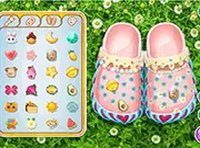
My Crocs Creative Dress Up Game is a free online activity that lets you design your own pair of Crocs shoes. You start with a simple base and use a wide palette of colors and patterns to transform it. You can paint every part of the shoe, from the body to the sole. Add straps in glittery or patterned styles for extra flair. Then, attach charming accessories like flowers, animals, or fun symbols to express your personality. This game offers endless customization options in a safe, family-friendly environment. It runs directly in your browser on both mobile and desktop devices, with no downloads required. Best of all, it is completely free to play, making it accessible for everyone to enjoy a relaxing and creative experience.
How to Play
To begin, select a base color for your Crocs. Use the paint tools to color every part of the shoe, including the sole. Next, choose straps from various styles such as glittery or patterned to match your vision. Then, browse through an assortment of charms and attach them to your design. You can adjust details, undo mistakes, and preview your creation at any time. When you are satisfied, use the screenshot button to capture your masterpiece. Finally, you can post your design to your profile to share with the community. The controls are simple and intuitive, making it easy for players of all ages to start creating immediately.
Game Features
This game provides endless customization options with a wide range of colors, patterns, and accessories. Intuitive controls allow easy adjustments and the ability to undo changes. You can take a screenshot and share your designs directly on your profile. No downloads or installations are needed, and the game is completely free to play on any device with a browser. All content is family-friendly and suitable for all ages.
Tips for Success
Experiment with different color combinations to find unique looks. Try layering multiple charms for a more personalized design. Use the undo feature freely to refine your work without worry. Preview your creation from different angles to ensure every detail is perfect. Share your finished designs with the community to inspire others and get feedback. Most importantly, enjoy the creative process and let your imagination guide you.